.png&w=640&q=75)
Vtick
Raise · Track · Resolve
Raise, track and resolve. A full ITSM platform for incidents, problems, known errors, change requests and approvals — with SLA clocks and live analytics per project.
What it is
One system, one audit trail, one workspace per customer
Vtick is the ticketing and application-management platform we run our own AMS engagements on. Incidents, problems, known errors, change requests, approvals, effort and SLAs — one system, one audit trail, and a separate walled workspace for every customer.
- Full ITIL-shaped lifecycle — incident, problem, known error, change and release, not just a ticket queue.
- Two SLA clocks that behave properly — response, then resolution, and the resolution clock holds while you wait on the client.
- Effort at incident and task level — estimated against actual, rolled up and reportable.
- Multi-tenant by design — data is never shared between projects, and roles are set per project.

What you can do in Vtick
One sidebar, the whole service lifecycle
Incidents
Something is broken or not behaving as expected. Raise it, assign it, work it, resolve it — with a code such as INC000044 to quote in every conversation.
Incident Tasks
Sub-tasks that break one incident into pieces of work for different people — each with its own status, assignee and effort.
Problems
The underlying cause behind one or more incidents, investigated separately. Analytics tracks how often the same issue comes back.
Known Errors
Documented issues with a published workaround, so the same problem is never investigated from scratch twice. Search here before raising anything.
Change Requests
Planned changes — new development, enhancement, configuration — carrying a phase, a category, a risk rating, an approval trail and a planned release.
CR Tasks
Sub-tasks that break a change request into deliverable pieces, visible across every CR in one list.
Approvals
Your decision queue: approval gates, workflow steps at your stage and planned release date changes. Refreshes itself every minute.
Reports
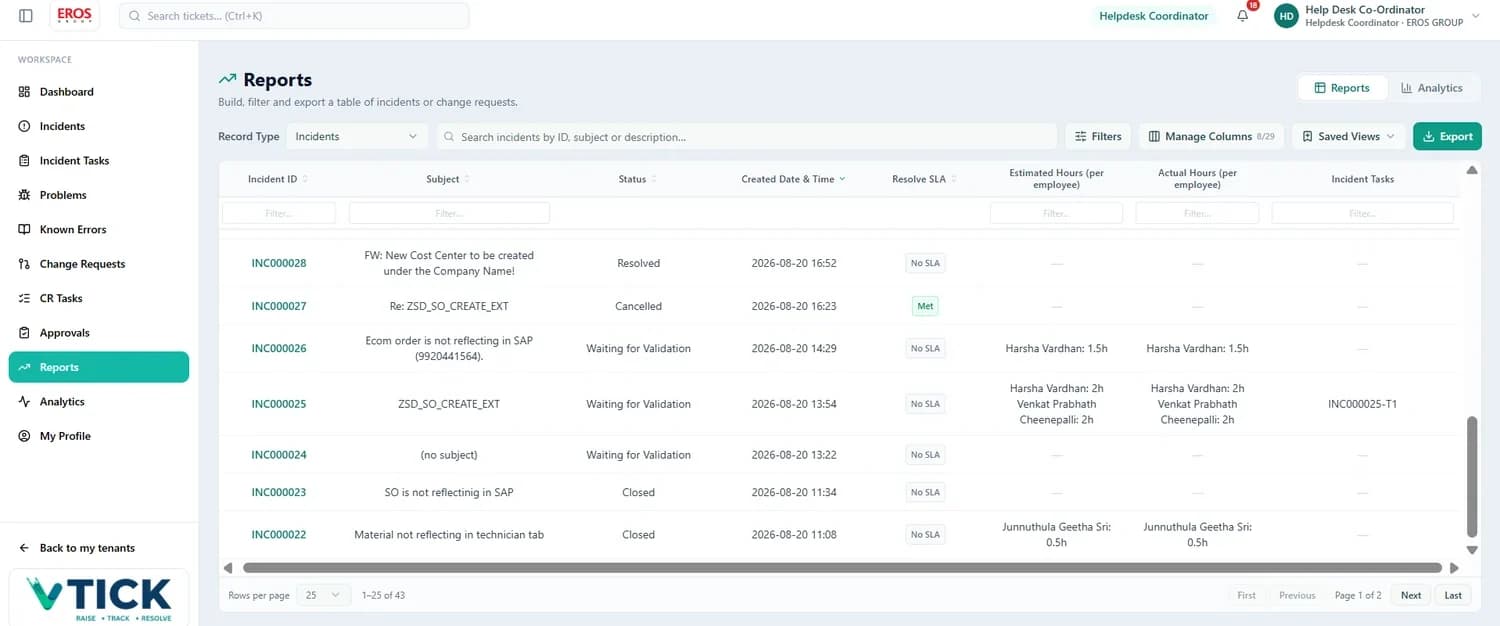
Build, filter and export a table of incidents or change requests. A long, reorderable column list including Resolve SLA and estimated and actual hours per employee.
Analytics
Live operational dashboards plus historical trend and performance charts — SLA compliance, MTTR, change success rate, problem recurrence.
Inside the workspace
From the queue to the audit trail
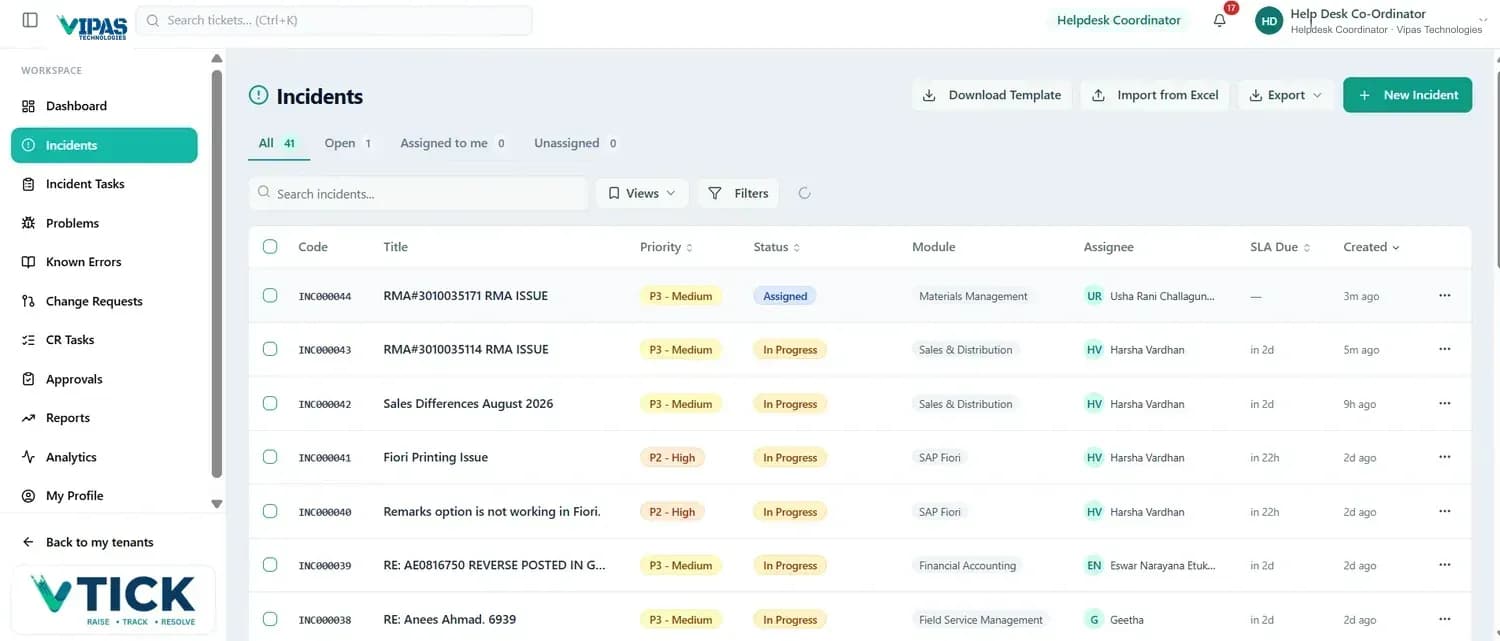
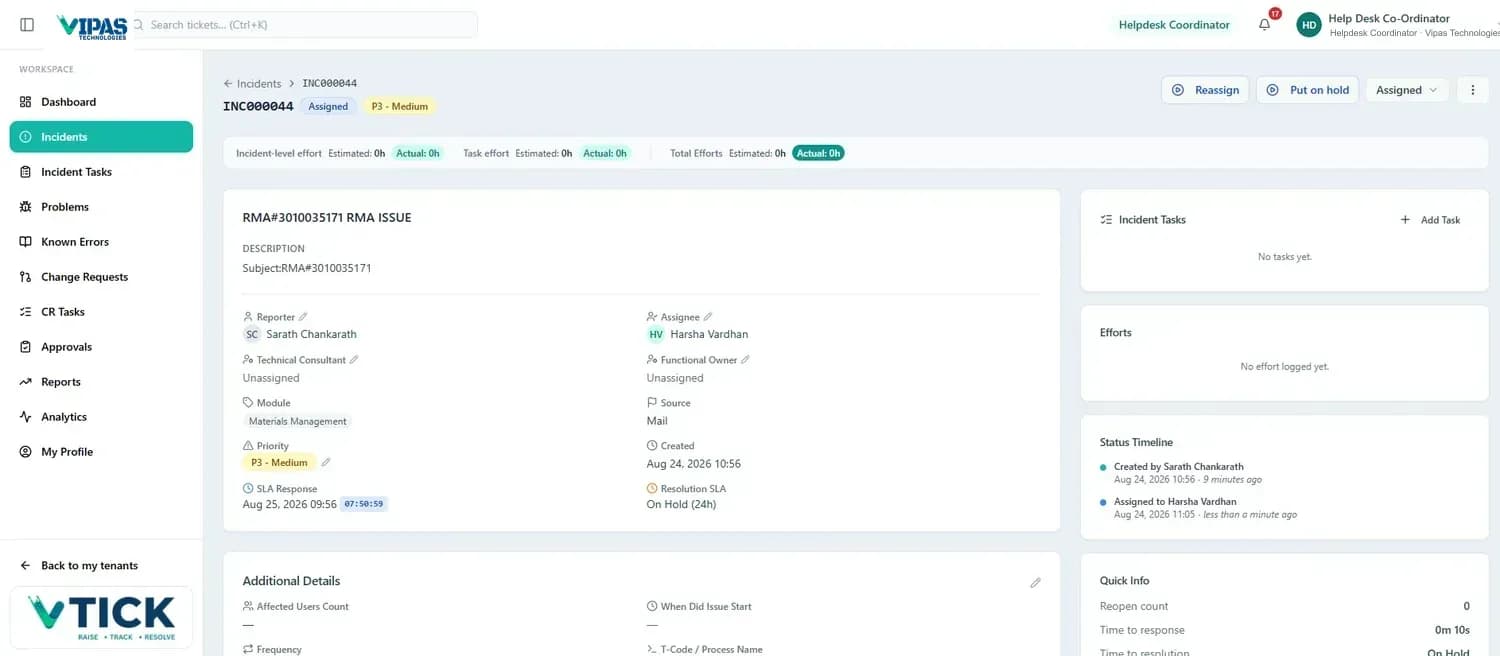
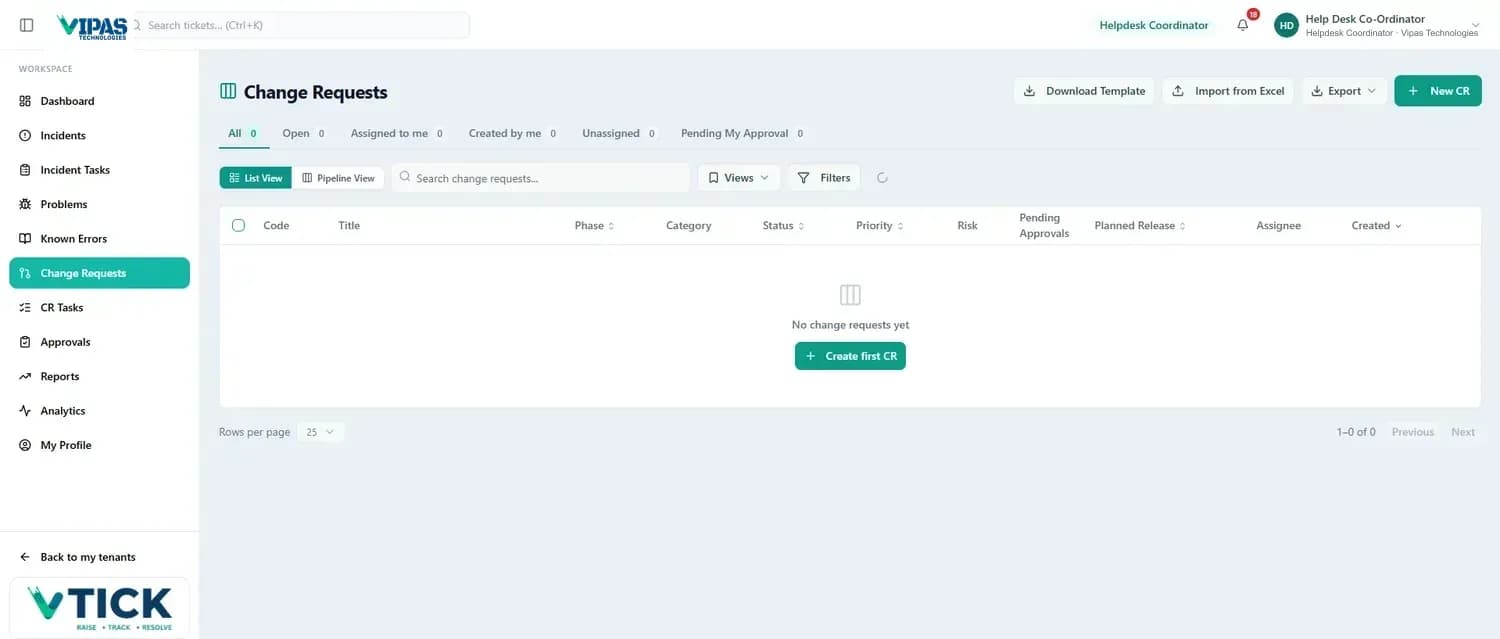
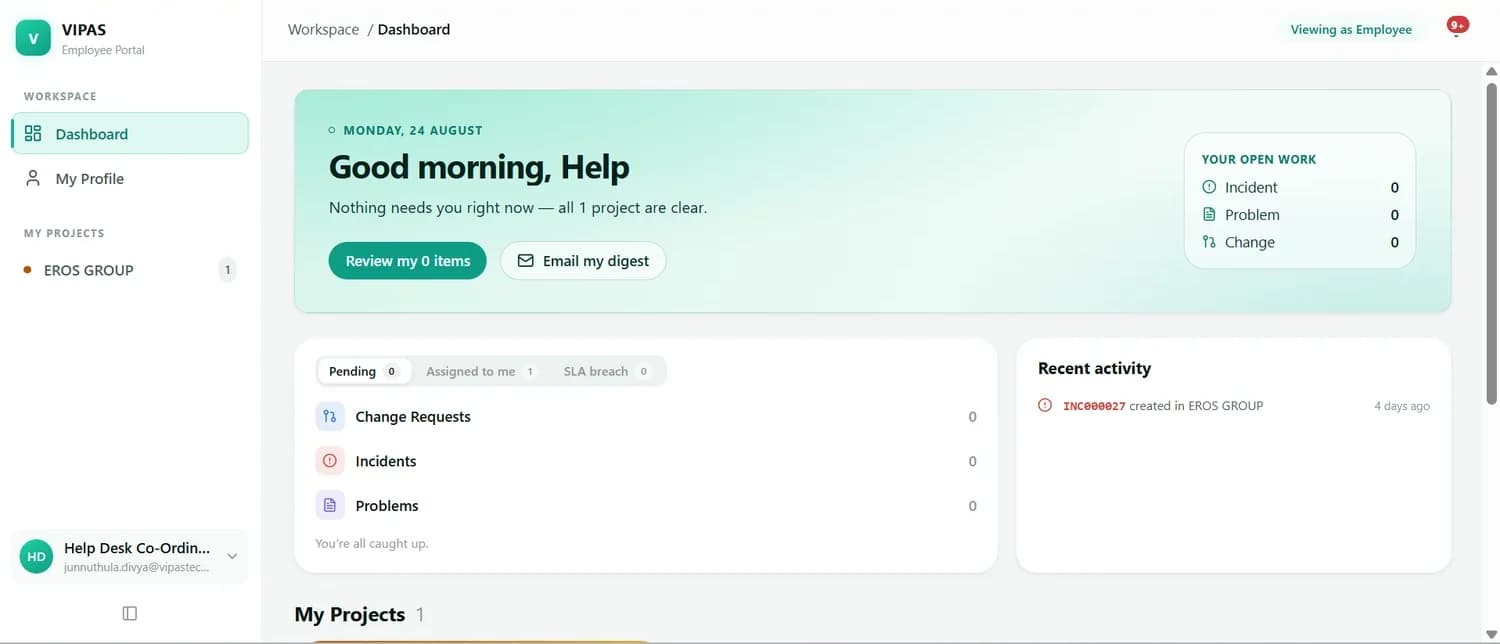

Roles and who does what
Set per project, so the same person can wear different hats
| Role | Typically responsible for |
|---|---|
| Reporter | Raised the ticket. Provides detail, answers questions and confirms the fix. |
| Assignee | Owns the ticket and is accountable for moving it through to resolution. |
| Functional Consultant | Understands the business process. Analyses the functional side and validates the solution. |
| Technical Consultant | Handles development, debugging and technical configuration. |
| Functional Owner | Accountable for a module or process area across tickets. |
| Helpdesk Coordinator | Triages incoming tickets, assigns owners, keeps the Unassigned tab empty and watches SLAs. |
| IT Approver | Approves change requests at the appropriate gate. |
| Observer | Follows a ticket and receives its notifications without owning it. |
Comments, not inboxes
The whole conversation stays on the ticket, so the next person can pick it up cold.
Attachments up to 100 MB
Screenshots, log extracts and specifications live with the ticket, not in an email chain.
Email inside the ticket
Reply and forward from the Mail tab; inbound replies re-attach themselves using the code in the subject.
Complete audit trail
Every update, reassignment and reclassification stamped with the person and the time.